
The Evolution of GitHub Copilot: Mastering Agentic Workflows and AI Execution
小葵API服务 的 AI API 使用建议
小葵API服务 面向需要 OpenAI 兼容接口、Claude/Gemini/GPT 多模型切换、包月额度管理和图像模型调用的用户。阅读本文后,可以结合本站的模型清单、独立使用文档和个人面板,把教程内容直接落到实际调用流程中。
The landscape of software development is undergoing a seismic shift. For the third consecutive year, GitHub has been recognized as a Leader in the Gartner® Magic Quadrant™ for Enterprise AI Coding Agents. This recognition isn't just about code completion; it reflects a fundamental change in how developers interact with technology. We are moving beyond "AI as text" and entering the era of "AI as execution."
From Autocomplete to Agentic Workflows
For many, the journey with GitHub Copilot began with simple tab-completions. Today, that experience has matured into complex agentic workflows. These are not just passive assistants; they are active participants in the development lifecycle that can run on every pull request, triage issues, and even build other agents.
Efficiency and Oversight
As agents become more integrated into our repositories, new challenges arise—specifically regarding API costs and code quality. Recent updates focus on:
- Token Efficiency: Strategies to instrument production workflows and eliminate inefficiencies that drive up API bills.
- Agent PR Reviews: A practical guide to reviewing agent-generated code, helping teams identify technical debt before it merges.
- Validating Non-Deterministic Behavior: Using dominatory analysis to build a "Trust Layer" for cloud agents, ensuring reliability even when there isn't one single "correct" answer.
GitHub Copilot CLI: The Power User's Interface
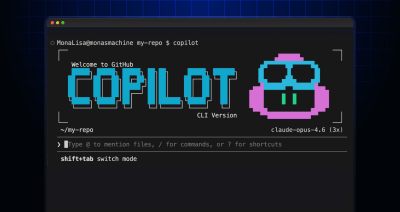
The command line remains the heart of the developer experience. The GitHub Copilot CLI has evolved to support both beginners and power users through distinct modes and advanced commands.
Interactive vs. Non-Interactive Modes
Understanding the difference between these modes is crucial for integration. While interactive mode allows for a conversational approach to finding commands, non-interactive mode enables seamless integration into scripts and automated pipelines.
Innovative CLI Use Cases
Developers are pushing the boundaries of what a CLI agent can do:
- Procedural Generation: Using Copilot CLI to turn codebases into roguelike dungeons.
- Parallel Execution: The new
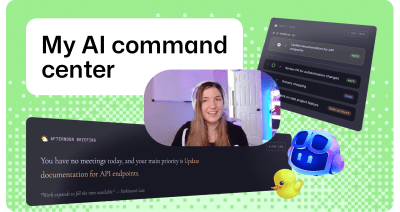
/fleetcommand allows the CLI to dispatch multiple agents in parallel, splitting work across files and declaring dependencies automatically. - Personal Organization: Engineers are building custom command centers to manage their daily productivity, all powered by AI prompts.
Mobility and the Cross-Platform Developer
One of the most significant updates is the general availability of Remote Control for GitHub Copilot sessions. Development no longer needs to be tethered to a single workstation. You can kick off a complex task in VS Code or your terminal and finish it from your mobile device via the GitHub Mobile app. This fluidity ensures that the momentum of development isn't lost when you step away from your desk.

AI for Accessibility and Inclusion
GitHub is also piloting an experimental general-purpose accessibility agent. By automating the triage of accessibility feedback, the platform helps teams transform chaotic backlogs into actionable tasks. This ensures that inclusion isn't just an afterthought but a continuous, automated part of the development process.
The Shift to Programmable Execution
The era of simply prompting an AI for a text response is ending. Through the GitHub Copilot SDK, AI is shifting toward programmable execution. This allows developers to integrate agentic workflows directly into their own applications, enabling features like:
- AI-powered issue triage in React Native apps.
- Repository-native orchestration with "Squads" of coordinated agents.
- Automated summaries and graceful degradation patterns for production environments.
With over 60 million Copilot code reviews completed to date, it is clear that AI-accelerated development is the new standard. Whether you are building an emoji generator or orchestrating a fleet of agents to manage a global codebase, GitHub Copilot provides the platform to build what’s next.
Getting Started
Ready to dive deeper? You can explore the technical guides and best practices in the biweekly developer newsletter or head over to the official GitHub Docs to master the latest CLI features and SDK patterns. The future of software development is AI-powered, open, and secure—and it's happening right now on GitHub.